Introducing BT PowerLink App: A Smart Pairing Upgrade for Bituo ESP Power Monitors
We are thrilled to announce the official release of BT PowerLink, our innovative mobile application now available on Google Play and the Apple App Store. This app is designed to provide users with a seamless and convenient way to connect Bituo Power Metering and Monitoring Devices (PMDs) via Bluetooth Low Energy (BLE), then read real-time data and configure Wi-Fi networks—all from their smartphones. With Bluetooth connectivity, BT PowerLink eliminates the need for a computer during setup, offering flexibility and ease of use.
The Inspiration Behind
BT PowerLink was developed in response to the growing demand for a smarter, more user-friendly way for Bituo PMD paring. Our previous method of configuring and monitoring ESP devices requires desktop software, which made the process cumbersome. Recognizing these challenges, we created BT PowerLink to empower users with a mobile-first approach, ensuring that device management is as intuitive and accessible as possible.
Addressing Common User Challenges
The app addresses several common issues faced by users when using our pairing and configuration PC software:
Complicated Setup: Eliminates the need for reliance on computers during device configuration.
Limited Accessibility: Provides instant access to device data and controls via a smartphone.
Complex Interfaces: Features a user-friendly design that simplifies interactions with ESP devices.
Key Features of BT PowerLink
BT PowerLink boasts several standout features. It enables real-time interaction with Bituo ESP PMDs directly from a smartphone, significantly enhancing the convenience of device management. The app simplifies configuration and monitoring processes, saving users both time and effort.
Product Compatibility and Applications
This innovative application is compatible with the SPM/SDM EW series devices running firmware version 5.1.1 or later. It is particularly suited for applications in local area networks (LAN) and Bluetooth Low Energy (BLE) environments. By addressing the specific needs of these scenarios, BT PowerLink ensures a versatile and reliable solution for a wide range of users.
How to Use BT PowerLink
Using BT PowerLink is straightforward and intuitive. Upon launching the app, users can follow these simple steps:


2. Select and Connect: Choose the device you wish to configure and establish a connection.
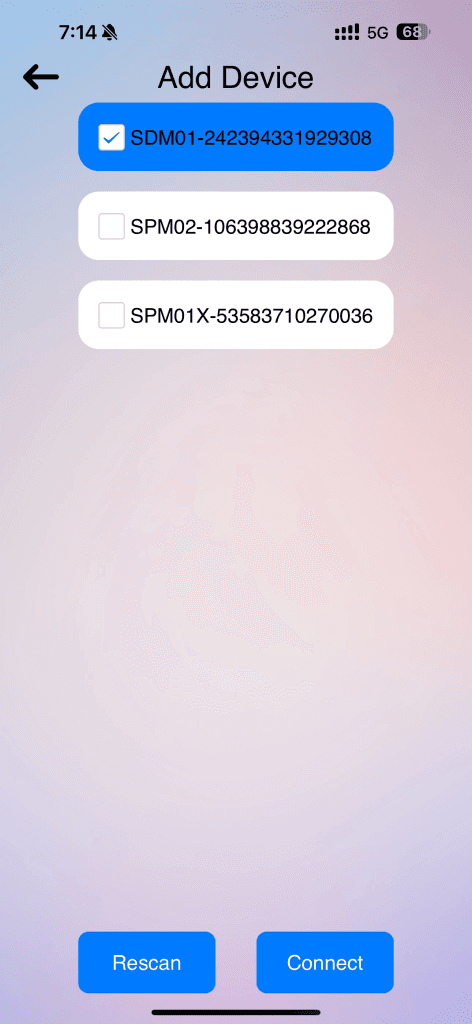

3. Enter Configuration Details: Input the device password and Wi-Fi information to complete the setup.


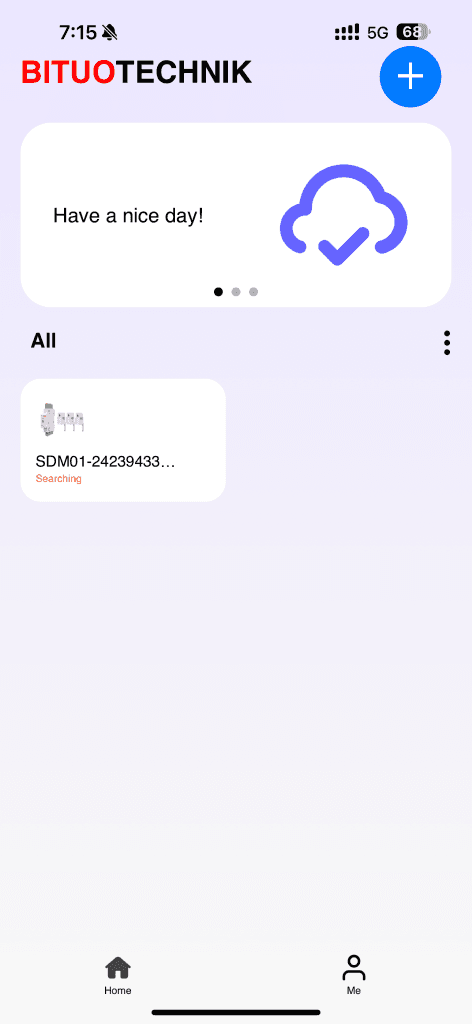
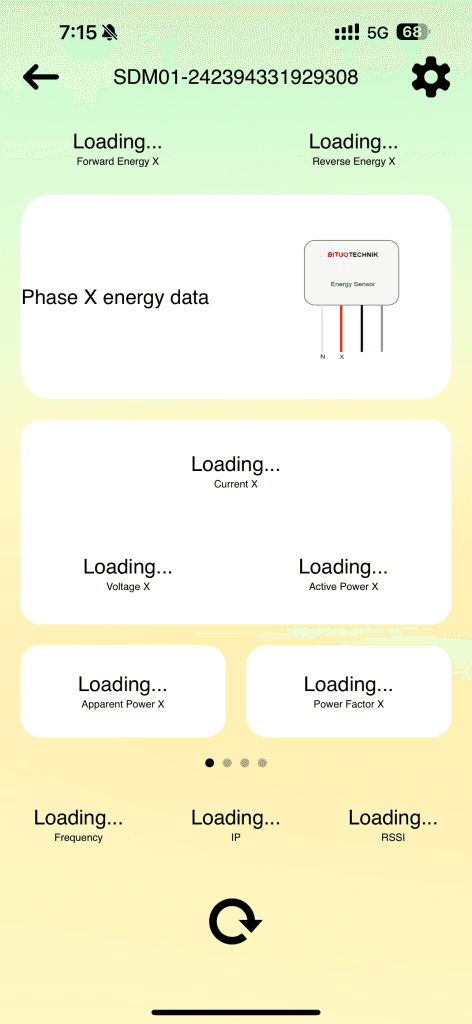
4. Access Device Dashboard: View real-time energy data and control the device from the main dashboard.
Why Choose BT PowerLink?
BT PowerLink represents a significant step forward in simplifying Bituo ESP devices management and enhancing user experience. Whether managing devices in residential or industrial settings, this app ensures that configuration and monitoring are intuitive, efficient, and accessible from the palm of your hand. Besides, Home Assistant (HA) users can seamlessly integrate their devices through the Bituo PMD HAAS platform for an enhanced smart energy experience.
We invite you to explore our ESP products, easily configure them with the BT PowerLink app, and seamlessly connect to your energy management systems.